



Mostrar Imágenes BMP desde Tarjeta SD en Pantalla TFT LCD 2.4″ Shield Arduino
Componentes y materiales
| Arduino UNO | 1 |
Sobre el proyecto
Este tutorial continúa dos previos sobre el Shield TFT LCD 2.4″ Touch con Arduino UNO: primero interfaz y solución de problemas táctiles/eje invertido; segundo, dibujo de formas y botones táctiles.
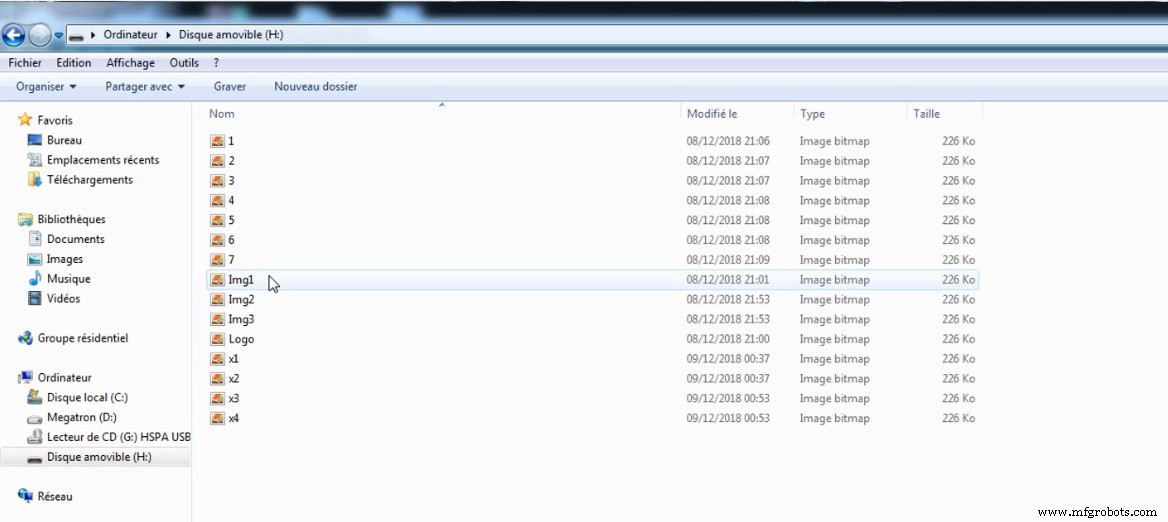
Hoy veremos cómo leer imágenes desde tarjeta SD y mostrarlas en pantalla. Primero, formatee la tarjeta SD como FAT32 en su PC y transfiera sus imágenes en formato BMP 24 bits. La resolución correcta es 240×320 píxeles.
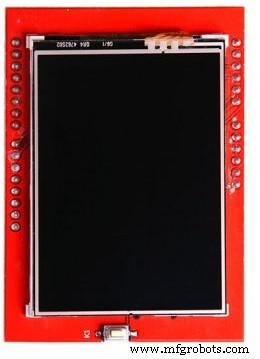
Orientación por defecto: setRotation(0), muestra imágenes 240×320.
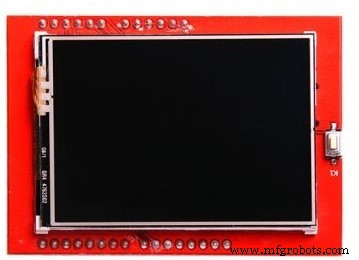
Con setRotation(1): orientación horizontal, imágenes 320×240.
Elija la que prefiera: rotar pantalla o rotar imagen en PC. Anote el nombre del archivo (ej. Img1.bmp) e inserte la tarjeta en el shield.
Librería
La que me funcionó: Descargar aquí. Si con los ejemplos ve pantalla blanca, busque otra librería compatible con su shield.
Códigos
Códigos usados en el video (formato .ino). Cambie los nombres de archivo según los suyos. Consulte el tutorial si necesita ayuda.
- Código 1: Presentación automática de imágenes
- Código 2: Navegación por imágenes con botones táctiles
Código 1: Presentación automática
/* Uso con shield TFT LCD 2.4" touch, lee imágenes BMP de SD y las muestra
   Referencia: SurtrTech.com */
#include <SPFD5408_Adafruit_GFX.h>
#include <SPFD5408_Adafruit_TFTLCD.h>
#include <SPI.h>
#include <SD.h>

#define LCD_CS A3
#define LCD_CD A2
#define LCD_WR A1
#define LCD_RD A0
#define SD_CS 10

Adafruit_TFTLCD tft(LCD_CS, LCD_CD, LCD_WR, LCD_RD, A4);

void setup() {
  Serial.begin(9600);
  tft.reset();
  uint16_t identifier = tft.readID();
  pinMode(10, OUTPUT);
  digitalWrite(10, HIGH);
  tft.begin(identifier);
  if (!SD.begin(SD_CS)) {
    progmemPrintln(PSTR("failed!"));
    return;
  }
}

void loop() {
  bmpDraw("Logo.bmp", 0, 0);
  delay(2000);
  bmpDraw("Img2.bmp", 0, 0);
  delay(2000);
  bmpDraw("Img3.bmp", 0, 0);
  delay(2000);
}

#define BUFFPIXEL 20

void bmpDraw(char *filename, int x, int y) {
  File bmpFile;
  int bmpWidth, bmpHeight;
  uint8_t bmpDepth;
  uint32_t bmpImageoffset;
  uint32_t rowSize;
  uint8_t sdbuffer[3*BUFFPIXEL];
  uint16_t lcdbuffer[BUFFPIXEL];
  uint8_t buffidx = sizeof(sdbuffer);
  boolean goodBmp = false;
  boolean flip = true;
  int w, h, row, col;
  uint8_t r, g, b;
  uint32_t pos = 0, startTime = millis();
  uint8_t lcdidx = 0;
  boolean first = true;

  if((x >= tft.width()) || (y >= tft.height())) return;

  Serial.println();
  progmemPrint(PSTR("Loading image '"));
  Serial.print(filename);
  Serial.println('\'');

  if ((bmpFile = SD.open(filename)) == NULL) {
    progmemPrintln(PSTR("File not found"));
    return;
  }

  if(read16(bmpFile) == 0x4D42) {
    progmemPrint(PSTR("File size: ")); Serial.println(read32(bmpFile));
    (void)read32(bmpFile);
    bmpImageoffset = read32(bmpFile);
    progmemPrint(PSTR("Image Offset: ")); Serial.println(bmpImageoffset, DEC);
    progmemPrint(PSTR("Header size: ")); Serial.println(read32(bmpFile));
    bmpWidth = read32(bmpFile);
    bmpHeight = read32(bmpFile);

    if(read16(bmpFile) == 1) {
      bmpDepth = read16(bmpFile);
      progmemPrint(PSTR("Bit Depth: ")); Serial.println(bmpDepth);
      if((bmpDepth == 24) && (read32(bmpFile) == 0)) {
        goodBmp = true;
        progmemPrint(PSTR("Image size: "));
        Serial.print(bmpWidth); Serial.print('x'); Serial.println(bmpHeight);

        rowSize = (bmpWidth * 3 + 3) & ~3;
        if(bmpHeight < 0) {
          bmpHeight = -bmpHeight;
          flip = false;
        }

        w = bmpWidth; h = bmpHeight;
        if((x+w-1) >= tft.width()) w = tft.width() - x;
        if((y+h-1) >= tft.height()) h = tft.height() - y;

        tft.setAddrWindow(x, y, x+w-1, y+h-1);

        for (row=0; row= sizeof(sdbuffer)) {
              if(lcdidx > 0) {
                tft.pushColors(lcdbuffer, lcdidx, first);
                lcdidx = 0;
                first = false;
              }
              bmpFile.read(sdbuffer, sizeof(sdbuffer));
              buffidx = 0;
            }
            b = sdbuffer[buffidx++];
            g = sdbuffer[buffidx++];
            r = sdbuffer[buffidx++];
            lcdbuffer[lcdidx++] = tft.color565(r,g,b);
          }
        }
        if(lcdidx > 0) tft.pushColors(lcdbuffer, lcdidx, first);
        progmemPrint(PSTR("Loaded in "));
        Serial.print(millis() - startTime);
        Serial.println(" ms");
      }
    }
  }
  bmpFile.close();
  if(!goodBmp) progmemPrintln(PSTR("BMP format not recognized."));
}

uint16_t read16(File f) {
  uint16_t result;
  ((uint8_t *)&result)[0] = f.read();
  ((uint8_t *)&result)[1] = f.read();
  return result;
}

uint32_t read32(File f) {
  uint32_t result;
  ((uint8_t *)&result)[0] = f.read();
  ((uint8_t *)&result)[1] = f.read();
  ((uint8_t *)&result)[2] = f.read();
  ((uint8_t *)&result)[3] = f.read();
  return result;
}

void progmemPrint(const char *str) {
  char c;
  while(c = pgm_read_byte(str++)) Serial.print(c);
}

void progmemPrintln(const char *str) {
  progmemPrint(str);
  Serial.println();
}
Código 2: Navegación táctil
/* Shield TFT LCD 2.4" con UNO: presentación con navegación táctil
   Imágenes leídas desde SD - Referencia: SurtrTech.com */
#include <SPFD5408_Adafruit_GFX.h>
#include <SPFD5408_Adafruit_TFTLCD.h>
#include <SPI.h>
#include <SD.h>
#include <SPFD5408_TouchScreen.h>

#if defined(__SAM3X8E__)
#undef __FlashStringHelper::F(string_literal)
#define F(string_literal) string_literal
#endif

#define YP A3
#define XM A2
#define YM 9
#define XP 8

#define TS_MINX 176
#define TS_MINY 159
#define TS_MAXX 921
#define TS_MAXY 884
#define MINPRESSURE 10
#define MAXPRESSURE 1000

TouchScreen ts = TouchScreen(XP, YP, XM, YM, 300);

#define LCD_CS A3
#define LCD_CD A2
#define LCD_WR A1
#define LCD_RD A0
#define SD_CS 10

Adafruit_TFTLCD tft(LCD_CS, LCD_CD, LCD_WR, LCD_RD, A4);

char x[] = "x1.bmp";

void setup() {
  Serial.begin(9600);
  tft.reset();
  uint16_t identifier = tft.readID();
  pinMode(10, OUTPUT);
  digitalWrite(10, HIGH);
  tft.begin(identifier);
  if (!SD.begin(SD_CS)) {
    progmemPrintln(PSTR("failed!"));
    return;
  }
  tft.setRotation(1);
  bmpDraw(x, 0, 0);
}

void loop() {
  if(x[1] < 49) x[1] = 49;
  if(x[1] > 52) x[1] = 52;

  TSPoint p = ts.getPoint();
  pinMode(XM, OUTPUT);
  pinMode(YP, OUTPUT);

  if (p.z > MINPRESSURE && p.z < MAXPRESSURE) {
    p.x = map(p.x, TS_MINX, TS_MAXX, 0, tft.width());
    p.y = map(p.y, TS_MINY, TS_MAXY, 0, tft.height());

    if(p.y > 0 && p.y < 100) {
      Serial.println("Left");
      x[1] = x[1] - 1;
      bmpDraw(x, 0, 0);
      delay(300);
    }
    else if(p.y > 200 && p.y < 320) {
      Serial.println("Right");
      x[1] = x[1] + 1;
      bmpDraw(x, 0, 0);
      delay(300);
    }
  }
}

// Función bmpDraw idéntica al código 1...
Esquemáticos
Es un shield plug-and-play. 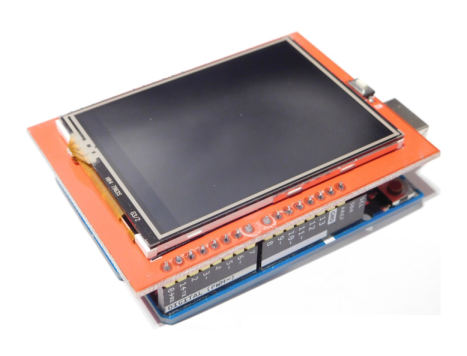
Proceso de manufactura
- La industria de tarjetas de felicitación: historia, producción y tendencias futuras
- Tarjeta de Crédito: Historia, Diseño, Fabricación y Tendencias Futuras
- Pantalla de Cristal Líquido (LCD): Tecnología, Fabricación y Perspectivas Futuras
- Primal Display: construye monitor temperatura LCD con Raspberry Pi
- Cómo Instalar la Pantalla TFT 3.5″ Kuman en RetroPie – Guía Paso a Paso
- Guía Profesional de Animación Bitmap en Pantalla Táctil ILI9341 2.4″ con Shield para Arduino
- Proyecto Arduino LCD DIY: Ensamblaje con resistencias, pulsador y display 16x2
- La IA genera imágenes realistas de comidas a partir de recetas en texto
- DATA MODUL lanza display TFT ultra-delgado de 23,1″ con control Wi‑Fi inteligente
- Distec presenta la pantalla TFT transflectiva de 7 pulgadas de Ortustech: robusta, legible bajo luz solar y de bajo consumo
- Nuvo-7160GC: Rugged GPU-PC con 6 TFLOPS, Soporte GPU 120W y Salida 4K para Machine Vision, VR y Automatización